Zelda projects compared: Ocarina, Majora, Link’s Awakening and more
Choose the adventure first. Ocarina of Time, Majora’s Mask and later Zelda games need their own native projects and files. Zelda II’s unavailable browser host has a separately documented desktop fallback.
By Playable · Written
Match the Zelda game and edition
For the Nintendo 64 adventures, choose Ship of Harkinian for Ocarina of Time or Zelda64Recomp for Majora’s Mask. For the Switch Link’s Awakening remake, consider the native LAS Recomp beta. Those are different adventures with separate files, controls and saves.
Remake names also matter. Ocarina of Time 3D is the Nintendo 3DS edition; Link’s Awakening (2019) is the Switch remake. Neither uses the original cartridge files expected by an NES or Nintendo 64 project.
Swipe or scroll to compare all columns →
| Game and project | Where and what to bring | Useful difference |
|---|---|---|
| Ocarina of Time · Ship of Harkinian | Native release; a ROM accepted by its compatibility checker | Ocarina’s original adventure with configurable input and custom asset support |
| Majora’s Mask · Zelda64Recomp | Native release; your North American Majora’s Mask ROM | Optional dual-stick camera, gyro aiming and autosave |
| Link’s Awakening (2019) · LAS Recomp | Native beta; your extracted Switch 1.0.0 files | Original progression or separate randomizer seedsKnown crashes and rendering issues remain. |
Ocarina and Majora need different projects
Ocarina of Time: Ship of Harkinian
First check your own ROM with Ship’s compatibility checker, then obtain the native release. On Windows, extract it and run soh.exe; Linux and macOS have their own packages. The app prepares the game resources from the supported ROM.
The default keyboard maps movement to WASD, A to X, B to C, Z-targeting to Z, Start to Space and the C buttons to the arrows. Escape opens Ship’s menu. Review those bindings before assigning items: an N64 A-button prompt means keyboard X with the default layout. Custom asset archives go in the project’s mods folder. See Ship’s configuration reference.
Majora’s Mask: Zelda64Recomp
Zelda64Recomp currently takes the North American Majora’s Mask ROM through its main menu. Ocarina of Time remains a planned addition to this project, so use Ship for that game today.
Its optional dual-analog layout moves camera control onto the right stick. Map the C buttons elsewhere too; the project preserves right-stick ocarina input when the instrument is out. Supported motion controllers can supply gyro aiming. The in-game configuration menu works with a mouse, keyboard or controller.
Autosaving replaces the previous autosave or owl save rather than creating an unlimited history. It can be disabled for the original save behavior. Before moving an installation, copy the saves from the location listed in the save-file FAQ; an Ocarina save is not Majora progress.
The 3DS and Switch remakes
LAS Recomp uses the 2019 Switch Link’s Awakening, with your own version 1.0.0 files and no update applied. On its start screen, select the folder containing the extracted ExeFS and RomFS. The application performs the local preparation; its download does not include Nintendo’s game assets.
Choose vanilla progression for an ordinary adventure, or a randomizer seed for shuffled content. Seeds have separate saves. The more disruptive room-shuffle options can produce unsolvable runs, so they are a different commitment from starting the familiar game. Remap gameplay controls in Settings; F1 or Minus + Plus opens the overlay. Keep a keyboard or mouse available for setup because the README’s known issues include a start-screen controller problem.
TriAevum — Echoes of Time instead targets Ocarina of Time 3D. It needs a supported decrypted European or US 3DS image and prepares it through Forge. Its single-screen presentation is an alternative to the 3DS layout, not a mode in Ship of Harkinian. Avoid the withdrawn alpha.3/alpha.3b builds and read the release-specific instructions for a later beta.
Zelda II: unavailable browser host, native fallback
The z2rs browser host is unavailable. Its creator also documents a separate native release for Windows, macOS and Linux using your own supported USA Zelda II ROM. Unpack the archive, open z2rs-launcher.exe, z2rs.app or z2rs-launcher for your system, choose your ROM and press Play. Renaming an unsupported ROM does not make it compatible; the check depends on the game data.
The creator’s setup reference documents arrows to move, Z to jump, X to attack, Enter for Start and Shift for Select, with gamepad support. The native launcher offers screen-layout and feature choices before starting. That desktop route is separate from the unavailable browser host and the Android app, whose touch controls come with different feature limits.
A Link to the Past, Twilight and Wind Waker
zelda3 is the A Link to the Past route. Its creator describes the game as playable from start to end, with optional widescreen, shaders and item switching. The documented setup is a native source build: put your USA ROM in the project as zelda3.sfc, extract its resources, then compile. Its keyboard mapping differs from z2rs: arrows move, X is SNES A and Z is SNES B. Check the build and controls instructions before following another Zelda project’s shortcuts.
For Twilight Princess, Dusklight accepts commercial GameCube and Wii discs except the Korean Wii release. Even with a Wii disc, it presents the GameCube HUD and other GameCube-specific behavior. Start with the official installation guide for your platform; a Wii input expectation should not be carried into that setup.
For The Wind Waker, BlueWake requires the USA GameCube edition, GZLE01 revision 0. Windows has a prepared application package; Apple device routes involve building your personal app. It documents remappable controls and save backups. The project remains experimental, with brief stalls possible at area changes. Use BlueWake’s platform selector before preparing a disc or signing an app.
Keep each adventure’s progress
Choose the game, edition and project before making a long-term save. A Majora’s Mask autosave, an LAS randomizer seed and a BlueWake memory card belong to different games and storage formats. Even the two Ocarina projects target different editions. A shared title does not provide a save-conversion method.
When changing a device or reinstalling, follow that project’s backup path and keep the original copy until you have loaded the replacement. For browser storage, use the browser-save guide to distinguish local progress from an exported file. For another family with a browser option and separate native ports, see the Sonic comparison.
Project reading
See the creators’ setup instructions and feature guides.
- z2rs · supported ROM, editions and input ↗
- Ship of Harkinian · setup and controls ↗
- Zelda64Recomp · Majora’s Mask, controls and saves ↗
- LAS Recomp · Switch files and randomizer limits ↗
- TriAevum · release status ↗
- zelda3 · resource extraction and controls ↗
- Dusklight · supported discs and setup ↗
- BlueWake · platform and disc requirements ↗
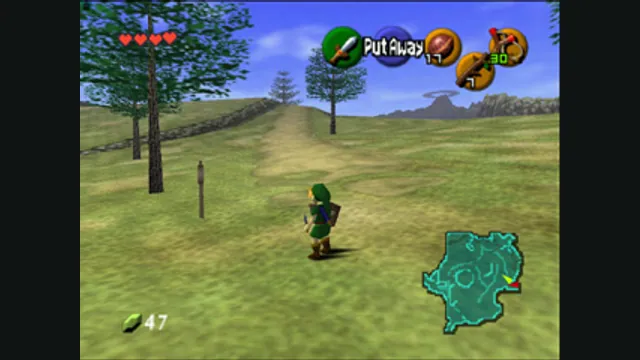
The Legend of Zelda: Ocarina of Time gameplay reference; not a capture of the linked project.
Image credits ↗A native Ocarina of Time port with its own ROM compatibility checker.
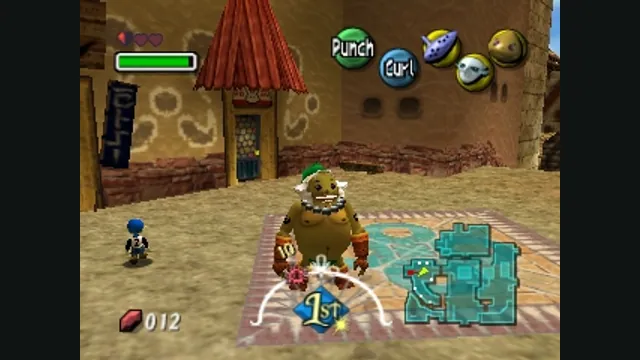
The Legend of Zelda: Majora’s Mask original-game screenshot reference; not a capture of the linked project.
Image credits ↗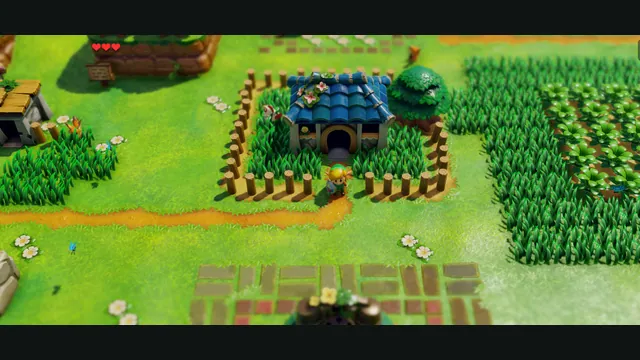
LASRecomp creator screenshot: Mabe Village in an ultrawide view. Project gameplay not independently tested.
Image credits ↗Native Windows, Mac and Linux builds of the Switch remake, with ultrawide and randomizer options.
Mario platformer projects: choose SM64 co-op, Wonder Recomp or GalaxyPad
Start with the Mario game you want, then its project. SM64 co-op has native releases; Wonder and GalaxyPad ask you to build. Mario crossover mods still need their host game.
Read guide : Choose a Mario platformerReference image · credits
Sonic projects compared: Sonic 3 A.I.R., Mania and Unleashed
Use Sonic 3 A.I.R.’s official beta for a web app, or choose the native project for the Sonic game you own. Unleashed’s desktop and Android installations have different import and control workflows.
Read guide : Choose a Sonic projectProject image · credits
Back up browser game saves and check the restored game
Save inside the game, export a separate backup, then import and load it before removing the original. Confirm the restored character, map or level inside the game.
Read guide : Back up your browser savesProject image · credits