Sonic projects compared: Sonic 3 A.I.R., Mania and Unleashed
Use Sonic 3 A.I.R.’s official beta for a web app, or choose the native project for the Sonic game you own. Unleashed’s desktop and Android installations have different import and control workflows.
By Playable · Written
Choose the Sonic game and device
For Sonic 3 & Knuckles in a browser, choose Sonic 3 A.I.R.’s official web beta and bring a compatible ROM. For Sonic Unleashed on a Windows or Linux computer, choose Unleashed Recompiled with your Xbox 360 game data. Its Android fork has its own installer, touch layout and device limitations.
Sonic Mania and Sonic the Hedgehog (2006) are separate games again. A Mania asset pack cannot supply Sonic 3, and the Unleashed Wii edition cannot supply a project built around the Xbox 360 release.
Swipe or scroll to compare all columns →
| Game and project | Prepare | Choose it for |
|---|---|---|
| Sonic 3 & Knuckles · A.I.R. web beta | Compatible Sonic_Knuckles_wSonic3.bin; browser or iOS home-screen setup | A widescreen Sonic 3 remaster in a web app, with a save-file manager |
| Sonic Mania · RSDK decompilation | Native setup and assets from a supported official Mania or Plus release | Mania with a built-in mod loaderThe Netflix edition is unsupported. |
| Sonic Unleashed · Unleashed Recompiled | Native Windows/Linux release; US or EU Xbox 360 game and title update | The Xbox 360 adventure with a guided data installer and configurable graphics |
| Sonic Unleashed · Android fork | Android 10+, supported 64-bit device and your Xbox 360 data | Editable touch controls or a physical controllerExperimental; GPU and driver compatibility matter. |
Set up Sonic 3 A.I.R. on the web
The Sonic 3 A.I.R. project site links Sappharad’s iOS/web beta separately from its native downloads. It requires a compatible Sonic 3 & Knuckles ROM. The former Steam ROM is no longer sold; owning a differently packaged Sonic collection does not automatically supply the file this project accepts.
- Open the web beta installation page on the device you will use.
- On iPhone or iPad, use Safari’s Share → Add to Home Screen, then open that app. Other devices can use the page’s web-browser link.
- Keep the device awake during the first data download. When asked, select your own
Sonic_Knuckles_wSonic3.bin. - Use the basic setup before adding optional soundtrack data or mods.
The web port keeps its content in memory, so the remastered soundtrack adds a meaningful load. Its web-specific known issues warn that more installed data can cause stuttering on low-memory devices. They also say switching to the software renderer can lock the game. The desktop site’s software-renderer troubleshooting advice does not apply to this web build.
Export A.I.R. saves before switching
In A.I.R.’s web beta, open Options → file manager to download save data or upload an existing file. Transfers are one file at a time; zipped mods are a separate supported convenience. The same manager can import PC save data, as described on the beta setup page.
Keep the old web installation until you have checked your progress in a new one. Several beta versions can be installed together, so the presence of a newer home-screen icon does not by itself tell you which copy contains your save. Export before removing a version or clearing its site data. The browser-save guide covers that distinction.
Unleashed on desktop or Android
Windows or Linux
Unleashed Recompiled accepts the US or EU Xbox 360 version, with its title update; the Japanese version is excluded by the installation guide. Adventure Pack DLC is optional. It does not accept the Wii game as an equivalent edition.
After preparing your own files using the official installation instructions, run the native application’s installer. Add Files accepts supported Xbox 360 containers; Add Folder expects the requested content’s already-extracted directory and does not search nested folders for you. Modified files fail its integrity checks.
The desktop project needs an AVX-capable CPU, 8 GB of memory and a Direct3D 12 or Vulkan 1.2 GPU. Its keyboard defaults use arrows for movement, S for A and D for B; change bindings in config.toml. The creator recommends a controller while action remapping is still planned.
Android
The Android fork adds an APK, an in-app Install game / DLC (.zip / folder) action and a separate route for game, update and DLC packages. Its importer can locate the game within a ZIP, unlike the desktop Add Folder workflow. Start with the defaults, then arrange the on-screen controls through the launcher’s Controls editor.
The touch layout includes a movement stick and right-side camera gestures; it changes to a directional pad in menus. Physical-controller input hides the overlay, and touching the screen brings it back. This is documented Android behavior, not a feature automatically inherited by the desktop project.
Check the Android requirements and GPU notes before copying several gigabytes. Adreno is the main target; recent Mali support is experimental and older Mali generations are excluded. The fork remains experimental even when a supported phone can install it.
Prepare Sonic Mania’s own assets
RSDK Sonic Mania is useful when you specifically want Mania and its modding environment. It needs assets from a supported official Mania or Mania Plus release; the Netflix version is explicitly unsupported. Its build options distinguish the original console release, original PC release and Plus update, so choose the target that matches your data.
For a source build, clone the repository with its submodules rather than using GitHub’s source ZIP, which omits required dependencies. The README includes native platform instructions and the integrated RSDK engine build. Existing official PC save data can be copied into the folder containing the decompilation. Keep a separate copy before doing so; Sonic 3 A.I.R.’s file manager is a different game’s workflow. See Mania’s build instructions.
Where Sonic 2006 fits
Marathon Recompiled targets the Xbox 360 Sonic the Hedgehog (2006). Its maintainers still mark it under active development and not intended for public use. Treat the repository as a development project to follow, not a substitute download for one of the released choices above.
The PlayStation 3 edition cannot supply its required Xbox 360 files. For another family with native releases and experimental source builds, compare the Mario platformer projects.
Project reading
See the creators’ setup instructions and feature guides.
- Sonic 3 A.I.R. · official ports and ROM requirements ↗
- Sonic 3 A.I.R. web beta · installation and file manager ↗
- Sonic 3 A.I.R. web beta · renderer and memory limits ↗
- Unleashed Recompiled · desktop installation ↗
- Unleashed for Android · importing files and controls ↗
- RSDK Sonic Mania · supported editions and building ↗
- Marathon Recompiled · development status ↗
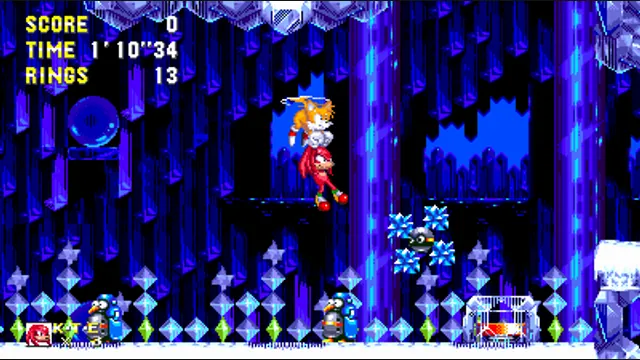
Sonic 3 A.I.R. project screenshot from Ice Cap; reference for the web beta, not a browser capture.
Image credits ↗Sonic 3 A.I.R.’s widescreen remaster, with an official iOS and web beta.
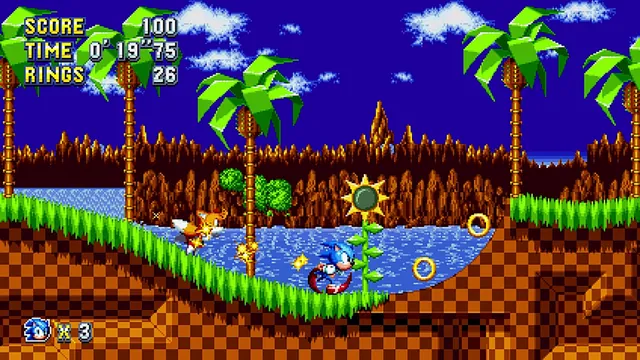
A buildable Sonic Mania decompilation requiring official assets.
Sonic Unleashed original-game screenshot reference; not a capture of the linked project.
Image credits ↗Sonic Unleashed original-game screenshot reference; not a capture of the linked project.
Image credits ↗An experimental Android adaptation with touch and gamepad controls.
Mario platformer projects: choose SM64 co-op, Wonder Recomp or GalaxyPad
Start with the Mario game you want, then its project. SM64 co-op has native releases; Wonder and GalaxyPad ask you to build. Mario crossover mods still need their host game.
Read guide : Choose a Mario platformerReference image · credits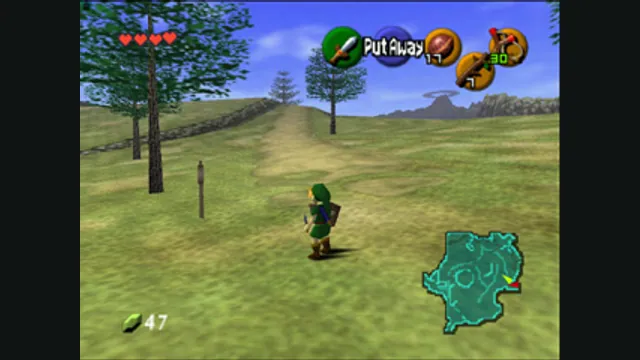
Zelda projects compared: Ocarina, Majora, Link’s Awakening and more
Choose the adventure first. Ocarina of Time, Majora’s Mask and later Zelda games need their own native projects and files. Zelda II’s unavailable browser host has a separately documented desktop fallback.
Read guide : Choose a Zelda projectReference image · credits
Back up browser game saves and check the restored game
Save inside the game, export a separate backup, then import and load it before removing the original. Confirm the restored character, map or level inside the game.
Read guide : Back up your browser savesProject image · credits