Doom in a browser or native port: WADs, demos and Doom 3
For classic Doom, choose a WAD launcher or a native port. For Doom 3, separate the browser demo from an owned retail installation.
By Playable · Written
Choose the game and client
For classic Doom with your own WADs, start with WAD Commander v1 in a browser or Chocolate Doom as a native application. For Doom 3, choose between the D3Wasm demo and dhewm3 with owned retail files. These are two different generations of game: a Doom WAD cannot supply Doom 3.
Swipe or scroll to compare all columns →
| Project | Choose it for | Prepare |
|---|---|---|
| WAD Commander v1 | Classic Doom, Doom II and vanilla-compatible additions in a browser | Owned WADs, or the offered shareware/Freedoom choices |
| Chocolate Doom | A native port preserving DOS behavior | The engine download plus matching game data |
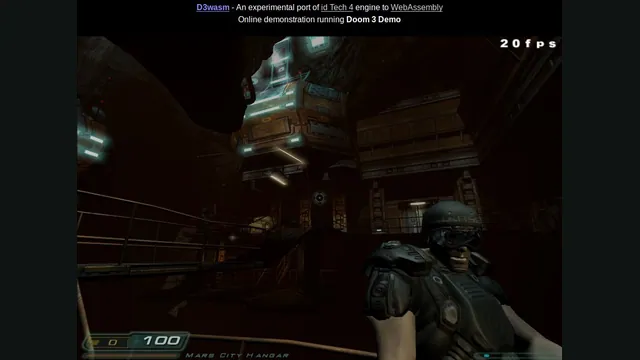
| D3Wasm | A browser taste of Doom 3 | Desktop keyboard/mouse and roughly 400 MB for demo data |
| dhewm3 | Original Doom 3 as a native game | Original 1.3.1 data; BFG Edition files are incompatible |
For a session with friends, Silent Space Marine is a separate browser option. Looking for Quake instead? The Quake campaign and multiplayer guide compares its four browser clients.
Classic Doom in a browser
In WAD Commander v1, choose Open file(s) or drop your files onto the page. Your base IWAD supplies the game; a PWAD adds content. Select the base game before its compatible patches. Without retail files, the welcome screen offers Doom shareware and Freedoom. Freedoom has its own levels and art; it is not the retail Doom campaign.
Use fullscreen for desktop mouse control. Recognized controllers are supported. On a touchscreen, move through the play area and use the side buttons: hold Use to strafe, but double-tap it for doors and switches. Saves belong to the selected WAD/patch combination; return with the same files in the same order. Keep those originals outside browser storage. The v1 help covers vanilla-compatible content, not every modern Doom mod.
Jacob Enget’s doom.wasm serves a different purpose: a minimal engine demonstration with shareware as its default data. Arrows move and turn, Ctrl fires, Space uses switches, and comma/period strafe. It produces no music or sound effects, and its screen-melt transition can briefly appear frozen. Its programming interface supports custom WADs, but that does not make the example a full mod manager. See the project’s controls and limitations.
Doom with friends
Silent Space Marine wraps Chocolate Doom in Cloudflare’s browser multiplayer experiment. Choose Play Solo, or have one person select Start Multiplayer and share the invitation URL. Guests enter their names and wait for that host to start; opening separate games will not put everyone together.
The creator documents up to four players, desktop mouse input, sound, F for fullscreen and virtual gamepads on phones. Everyone’s simulation waits for the group’s inputs, so the slowest connection affects the match. Abrupt disconnects and reconnections are a known weakness. Plan a live session with friends rather than relying on it as a durable multiplayer save. These limits come from Cloudflare’s implementation guide.
Classic Doom as a native game
Chocolate Doom is the native choice when original DOS behavior matters, including compatibility with old demos and saves. Use the platform download, supply the matching game data, then run its setup utility to configure keyboard, mouse, sound or gamepad. The setup menu can also start a game or join a network session.
Choose additions designed for vanilla Doom. A WAD requiring an advanced engine’s scripting or rendering is outside this port’s purpose. Some older total conversions need Chocolate Doom’s -merge option and their accompanying DeHackEd patch, as explained in its total-conversion instructions. Establish a working base game before adding them.
Doom 3: demo or owned files
D3Wasm uses dhewm3 as its engine basis, but its hosted route supplies only the Doom 3 demo. Allow roughly 400 MB to download. The menu appears before all data arrives, so starting a new game can still leave you waiting for the rest. Use a desktop keyboard and mouse: WASD moves, Home opens the menu or skips cinematics, and Insert opens the console.
Saves and configuration stay in IndexedDB in that browser profile. Avoid private browsing when keeping progress, and do not clear site storage to fix a slow initial load. The creator reports no usable phone touch scheme and a broken in-game brightness adjustment. Read the D3Wasm guide before choosing this experimental renderer for a longer session.
For owned retail Doom 3, dhewm3 offers a native route. With its official Windows/Linux build, place the original game’s patched PK4 files in base/ beside the executable, then run dhewm3. It needs version 1.3.1, including pak000.pk4 through pak008.pk4; the installation guide covers other platform locations. A store bundle containing BFG Edition may also include the original; select that original installation. The port supports gamepads without rumble and opens its extra settings with F10. Its README and supported-mod list govern compatibility.
Quake and other fallbacks
Quake’s files, campaigns and servers are separate. Use the dedicated Quake guide to choose NetQuake’s first-game campaign, Pieter’s QuakeWorld or Quake II multiplayer, or Q3JS’s Quake III arenas.
If a Doom browser host is unavailable, your owned classic WADs can still be used with a compatible native engine such as Chocolate Doom; original Doom 3 files belong with dhewm3. That changes the application and storage location. Keep existing saves and use the save and backup guide before moving anything; one project’s save support does not promise transfer from another.
Project reading
See the creators’ setup instructions and feature guides.

Doom publisher gameplay reference from the current DOOM + DOOM II gallery; not a capture of the linked port.
Image credits ↗Load owned Doom WADs, or start with Doom shareware and Freedoom in the live v1 browser client.
Doom publisher gameplay reference from the current DOOM + DOOM II gallery; not a capture of the linked port.
Image credits ↗Ports designed to preserve the original DOS behavior, including compatibility quirks.
D3Wasm creator screenshot.
Image credits ↗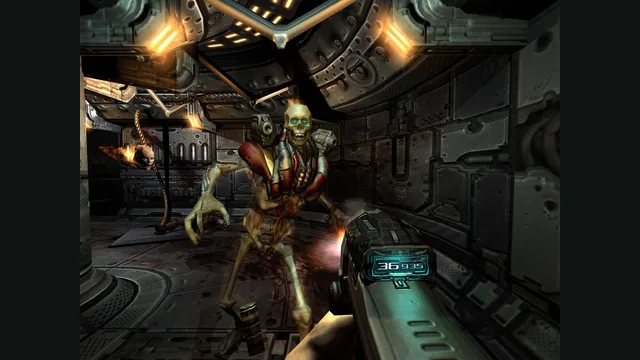
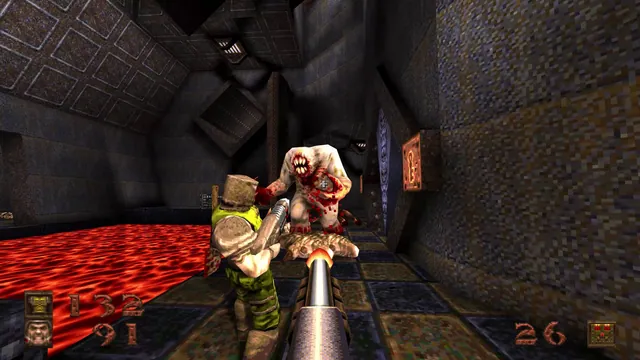
Quake browser versions: campaign, QuakeWorld or Quake III?
Choose a first-Quake campaign or an exact multiplayer host. Quake, Quake II and Quake III clients have different content and cannot share one session.
Read guide : Choose a Quake versionReference image · credits
Back up browser game saves and check the restored game
Save inside the game, export a separate backup, then import and load it before removing the original. Confirm the restored character, map or level inside the game.
Read guide : Back up your browser savesProject image · credits