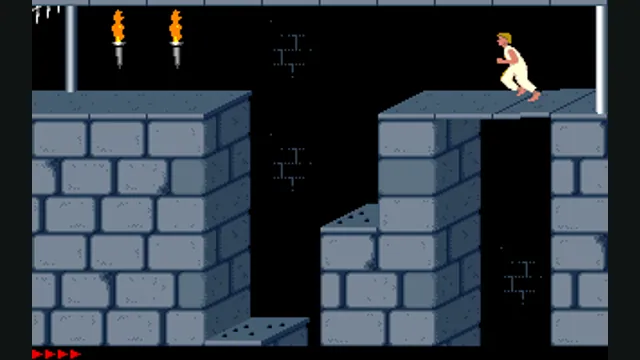
Prince of Persia DOS original-game reference, frame 60 of the linked gameplay animation; not an SDLPoP or PrinceJS capture.
Image credits ↗Prince of Persia reimplemented in JavaScript with keyboard, gamepad and touch controls.
PlayPrince of Persia DOS original-game reference, frame 60 of the linked gameplay animation; not an SDLPoP or PrinceJS capture.
Game imagery remains copyright its respective rights holders. Image published at https://en.wikipedia.org/wiki/File:Prince_of_Persia_1_-_MS-DOS_-_Gameplay.gif.
Source & attribution ↗View image ↗Controls: Arrow keys move; Up jumps or climbs and Down crouches or drops. Shift context actions are documented by the creator but were not checked here.
Prince of Persia reimplemented in JavaScript with keyboard, gamepad and touch controls. Converted custom levels do not support special events.
Choose PrinceJS for browser and touch play, or SDLPoP for native practice tools and saves.
Read Prince of Persia guideSDLPoP adds exact-state saves and replays to a DOS-based native port.
Jordan Mechner’s original Prince of Persia is a side-scrolling game about running, jumping and sword fighting. Its animation began with filmed human movement, giving the prince a particular sense of weight and commitment. Mechner first made it for the Apple II; PrinceJS follows the later MS-DOS version.
The appeal is in reading a room and executing the sequence it demands. A jump, a ledge grab and a sword exchange ask for different timing. It is a good fit for players who want a compact action puzzle rather than a platform game based only on constant forward speed.
Jordan Mechner · Prince of PersiaPrinceJS · controls, options and custom levels
PrinceJS rebuilds the game in HTML5 and JavaScript. It includes keyboard, controller and touch input, plus links to converted custom level sets. The normal level range is 1–14; custom sets use other numbered routes. Conversions do not support special events, so a custom level is not necessarily identical to its original release.
Use the arrow keys for movement, jumping, climbing and combat positioning. Shift handles actions including grabbing an edge and striking with the sword; Up blocks in combat, and Down sheathes the weapon. On a phone, use landscape and the documented touch regions: dragging between regions lets you chain a running jump into a grab.
The address stores the level, maximum health, remaining time and guard strength. Bookmark that address to retain those settings. It is a level-and-settings handoff, not a promise to preserve every mid-room movement. You can also edit these parameters deliberately; lower guard strength offers a gentler way to learn sword timing without changing the basic controls.
The documented hosted route opens directly in a browser without an original-file import step.
Creator-reported · Project guideOpen princejs.com. Use keyboard or controller on desktop, or the documented touch regions in landscape on mobile.
Creator-reported · Project guideDesktop and mobile browser use are documented; the mobile guide recommends landscape mode.
Creator-reported · Project guideArrow keys move; Shift handles sword, potion and edge actions. The README also documents gamepad buttons and touch gestures.
Creator-reported · Project guideLevel, health, remaining time and difficulty are stored in URL parameters; preserve the URL to retain that state.
Creator-reported · Project guideConverted custom levels do not support special events.
Creator-reported · Project guidePrince of Persia DOS original-game reference, frame 60 of the linked gameplay animation; not an SDLPoP or PrinceJS capture.
Image credits ↗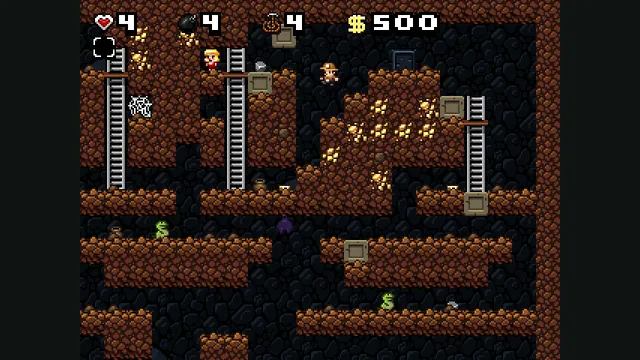
Spelunky Classic screenshot published by Derek Yu; reference image of the freeware original, not a capture of the HTML5 port or the HD remake.
Image credits ↗Derek Yu’s freeware Spelunky Classic, ported from GameMaker to HTML5 by Darius Kazemi.
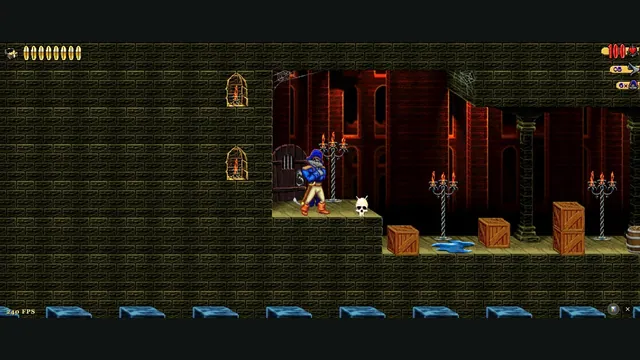
Claw Web creator screenshot from level 1.
Image credits ↗Captain Claw’s 14 levels, with widescreen play, gamepad support and browser saves.
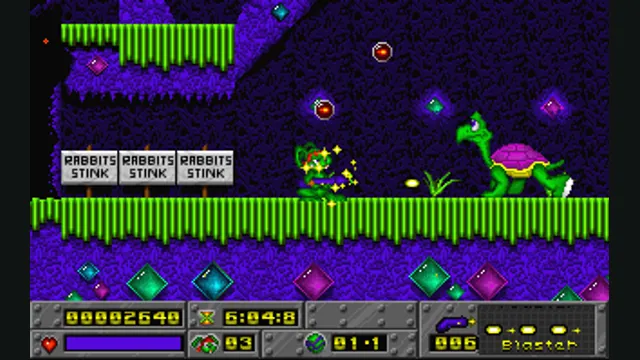
Jazz Jackrabbit original-game reference; not a capture of OpenJazz’s browser build.
Image credits ↗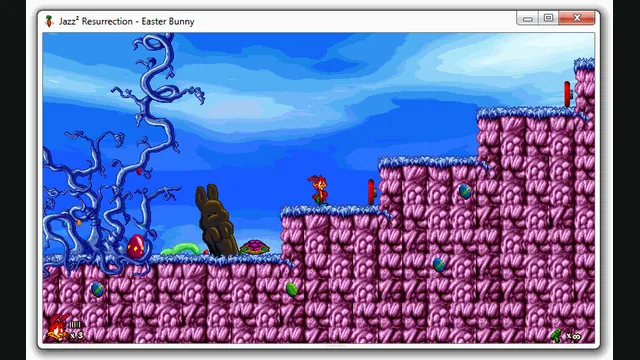
Jazz² Resurrection creator preview, extracted as a still from a native window. It illustrates the project, not a capture of the browser build.
Image credits ↗A browser preview of the Jazz Jackrabbit 2 reimplementation with an episode import option.