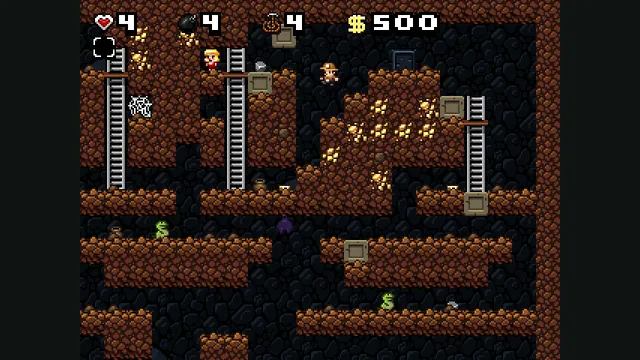
Spelunky Classic screenshot published by Derek Yu; reference image of the freeware original, not a capture of the HTML5 port or the HD remake.
Image credits ↗Derek Yu’s freeware Spelunky Classic, ported from GameMaker to HTML5 by Darius Kazemi.
Captain Claw’s 14 levels, with widescreen play, gamepad support and browser saves.
 PlayYour game files required
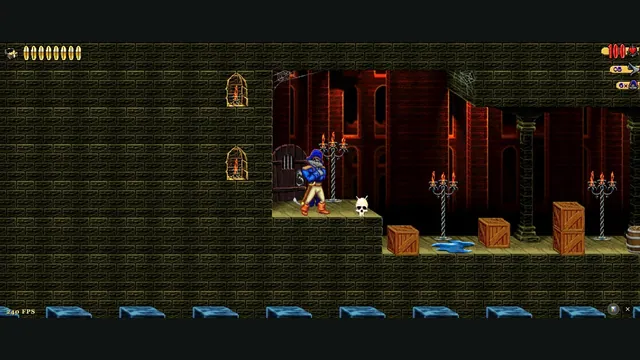
Claw Web creator screenshot from level 1.
Game imagery remains copyright its respective rights holders. Image published by the linked source for Claw Web; no transferable license is inferred.
Source & attribution ↗View image ↗Arthur Boss’s browser-focused OpenClaw fork reads the original CLAW.REZ archive from your copy. The current claw-web address replaces the older captain-claw-web and WASM-OpenClaw routes.
Captain Claw is Monolith's 1997 platform game. Jumping, sword attacks and ranged weapons give its movement a combat rhythm: you have to make space for an attack as well as reach the next platform. The browser port's separate sword, fire and weapon-switch actions preserve that distinction instead of reducing everything to one action button.
Arthur Boss's Claw Web is based on OpenClaw. The creator documents all 14 levels, original graphics and audio, saved progress and wide through super-widescreen resolutions. It ships no game content: provide CLAW.REZ from a copy you own before the engine can run the levels.
The current address replaces older captain-claw-web and WASM-OpenClaw paths. The project documents redirects and migration of existing files and saves, so returning players should use the current play link rather than installing a second unrelated build.
With the standard Xbox-style mapping, A jumps, X attacks with the sword and B fires a ranged weapon. The shoulder buttons change weapons, the stick or D-pad moves and Start pauses. On PlayStation-style controllers, use the corresponding Cross, Square and Circle positions.
If a controller is not detected, connect it, focus the tab and press a button. Safari's controller and vibration support is more limited than the other documented browsers; lack of rumble does not by itself mean the game has failed. On macOS, Ctrl with arrow keys can trigger system desktop shortcuts, so consider the game's WASD movement binding.
Claw Web · gamepad guideClaw Web · scope and setupClaw Web · current launcher and controls
The project asks for about 120 MB of free browser storage for setup. Keep your original CLAW.REZ outside the browser as well: cached assets and browser-held progress should not be your only copy of the material needed to return. If loading fails in a private session, the troubleshooting guide identifies restricted persistent storage as a possible cause.
Use CLAW.REZ from your own Captain Claw (1997) installation. The project asks for about 120 MB of free browser storage and does not include the retail archive.
Creator-reported · Project guideChoose or drop CLAW.REZ in the one-time setup. Keep the tab open while it stores the archive.
Creator-reported · Project guideThe documented minimums are Chrome/Edge 105+, Firefox 121+ and Safari 16.4+.
Creator-reported · Project guideArrows or WASD move; Space jumps; left Ctrl attacks; left Alt fires; left Shift or E changes weapon; Esc pauses. Standard Xbox and PlayStation controllers are supported, with rumble.
Creator-reported · Project guideThe project describes all 14 original levels with the graphics and audio read from your CLAW.REZ.
Creator-reported · Project guideProgress is saved in browser storage. The current project documents automatic migration of assets and saves from its older host paths.
Creator-reported · Project guideOn macOS, Ctrl plus an arrow can trigger the system’s Spaces shortcut. The project also documents migration from its older URLs.
Creator-reported · Project guideMade possible by Arthur Boss.
Spelunky Classic screenshot published by Derek Yu; reference image of the freeware original, not a capture of the HTML5 port or the HD remake.
Image credits ↗Derek Yu’s freeware Spelunky Classic, ported from GameMaker to HTML5 by Darius Kazemi.
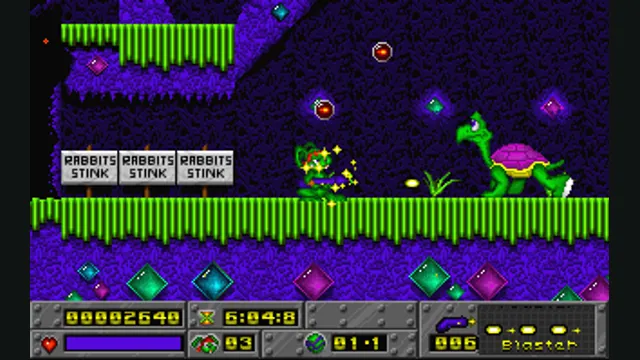
Jazz Jackrabbit original-game reference; not a capture of OpenJazz’s browser build.
Image credits ↗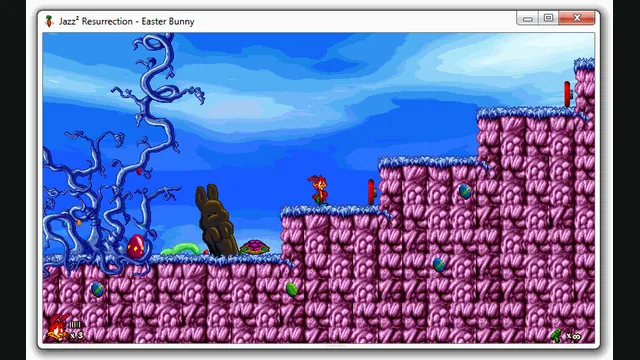
Jazz² Resurrection creator preview, extracted as a still from a native window. It illustrates the project, not a capture of the browser build.
Image credits ↗A browser preview of the Jazz Jackrabbit 2 reimplementation with an episode import option.
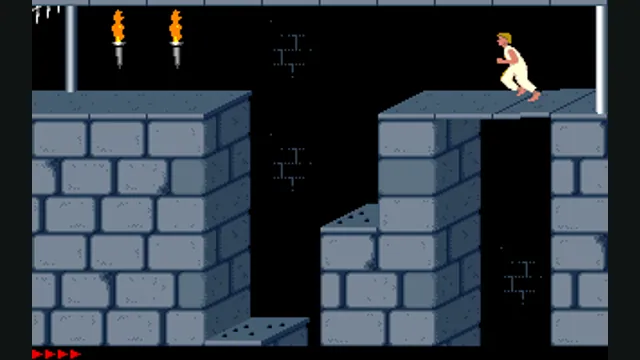
Prince of Persia DOS original-game reference, frame 60 of the linked gameplay animation; not an SDLPoP or PrinceJS capture.
Image credits ↗Prince of Persia reimplemented in JavaScript with keyboard, gamepad and touch controls.