GTA projects compared: GTA III in a browser, LCS Recomp and Theft4
Start with the GTA installment you want. GTA III’s web host, the PSP-based Liberty City Stories port and GTA IV’s experimental iOS app use different data and save workflows.
By Playable · Written
Choose the GTA installment
For GTA III in a tab, WASM Arcade’s re3 host documents browser controls and save exports. For Liberty City Stories, LCS Recomp is a native project requiring a specific PSP release. For GTA IV on an iPhone or iPad, Theft4 is an experimental signed-app setup using Xbox 360 files.
These are different games, even when they share Liberty City as a setting. They have different missions, game data and save formats. A GTA III browser host does not supply GTA IV or validate a GTA V-branded site.
Swipe or scroll to compare all columns →
| Game and project | Delivery and files | Choose it for |
|---|---|---|
| GTA III · WASM Arcade host | Browser; host-streamed data and WebGL 2 | A documented desktop browser start and local save managerPlay can open a sponsor tab. |
| Liberty City Stories · LCS Recomp | Native; your PSP US v1.05 EBOOT.ELF and PSP_GAME folder | That specific PSP adventure with configurable keyboard, mouse and controller input |
| GTA IV · Theft4 | iOS/iPadOS app; supported USA Xbox 360 base game and matching TU8 | An experimental native Apple-device projectSigning, data preparation and substantial device storage are required. |
GTA III: distinguish engine and host
re3 is the engine project; WASM Arcade is the web host. The host identifies its GTA III build as re3 compiled to WebAssembly. Its streaming, browser save manager and advertising are host features, not promises made by every project using re3. WASM Arcade is unofficial and separately maintained.
The host’s start flow supplies streamed assets rather than asking you to import a local installation. Engine and game data still travel to your browser; “no installer” does not mean no download or storage use. Its hosting explanation also says Play, or the first page click, can open a sponsor tab.
Use WASD or the arrows to move and steer, the mouse to aim and fire, and F or Enter to enter or leave a vehicle. Space acts as the handbrake while driving. Escape releases the captured pointer. The host’s control reference also lists a gamepad mapping; it does not make another GTA site’s input scheme equivalent.
Save in a safehouse, then use the host’s Saves manager to download the slot as a .b file. Import restores a file into browser storage. Keep that export before clearing site data or moving devices; this local progress is not an account-based cloud save.
Prepare Liberty City Stories
LCS Recomp targets Liberty City Stories, PSP US v1.05 (ULUS-10041). Supply your own decrypted EBOOT.ELF and disc PSP_GAME folder. The release uses a game/ directory; a source checkout uses lcs/game/. Files from GTA III or GTA IV cannot replace these, and the project does not include the game data.
The current input instructions map movement to WASD, attack to left mouse, aim to right mouse and vehicle entry to F or Enter. Shift jumps on foot; Space sprints on foot and becomes the handbrake in a vehicle. That is worth checking if you have just used another GTA client.
Edit bindings in LCSNative.ini and restart to apply them. F10 opens the host settings and F11 toggles fullscreen. Controller names follow the Xbox layout, with a PlayStation equivalent shown in the README. Windows source builds require Visual Studio and LLVM; the separate Linux instructions use Vulkan and SDL2. Choose the release or build path before arranging your game directory.
GTA IV on iPhone or iPad
Theft4 uses GTA IV’s Xbox 360 USA retail base 0.0.0.5 and matching TU8 to 0.0.8.5. The PC edition and unrelated title updates do not satisfy that input. Its unsigned IPA is the application; your game data and update must be prepared separately.
The installation guide requires iOS/iPadOS 26 or later, a signing method and about 7 GB for the prepared game, plus app and transfer space. GPUs needing ASTC texture preparation require about 2.4 GB more. This is a native app installation, not a Safari launch.
- Choose the official release IPA and sign it with your existing sideloading setup.
- Prepare and validate your supported game and update using the creator’s documented staging workflow.
- Copy the prepared folder’s complete contents, including its installation manifest, into the app’s
gamefolder. - Use System → Check Game Files, then finish any required texture preparation before Play.
The app offers touch controls and physical-controller input. Its current limitations include freezes during extended play and app switching, so treat it as an experimental choice.
For backups, quit the game and reopen the app, then choose System → Export Saves to Files. Copy the entire dated save-export folder elsewhere. Import Saves from Files restores that folder after validation. Update the app in place: the old development Lab app has a separate data container. The save instructions explain the boundary.
Vice City, Fiveplay and crossover limits
Vice City is not an available recommendation here
The Joncode Vice City listing remains unavailable. Its local-import client asks for a game.tar.gz from a legitimate copy, but its advertised asset-download route remains unresolved. Playable therefore offers no Play shortcut for it. Another host carrying a Vice City label does not remove that limitation.
Fiveplay is not a verified full GTA V port
Fiveplay is a GTA V-themed browser listing with Sandbox and Story menu labels. Those labels do not establish the retail GTA V campaign, its mission coverage or GTA Online. It is not a supported recommendation here for someone seeking the full GTA V game.
Mario in San Andreas is a mod
sm64-san-andreas adds Mario to an existing compatible San Andreas installation, using a separate US Super Mario 64 ROM. Its creator distinguishes the old Steam edition from the Definitive Edition. It neither supplies San Andreas nor turns it into a browser game. The Mario comparison explains that crossover alongside the standalone Mario projects.
Keep saves with the right game
Choose your route according to the game you want and the files you already have. A GTA III .b export, a PSP game directory and Theft4’s save-export folder serve different purposes. Do not import one as another project’s game data or assume two Liberty City games share progress.
Before changing devices, make the backup offered by the exact client and keep its original installation until the restored save opens. The browser-save guide covers local browser data; the project-label guide explains why a web host, native recompilation and source repository need different preparation.
Project reading
See the creators’ setup instructions and feature guides.
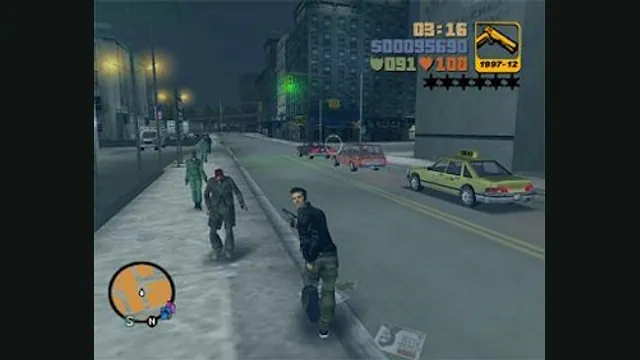
GTA III PC screenshot. Original-game reference; not a capture of the WASM Arcade host.
Image credits ↗The re3 browser build with streamed assets and local save-file management.
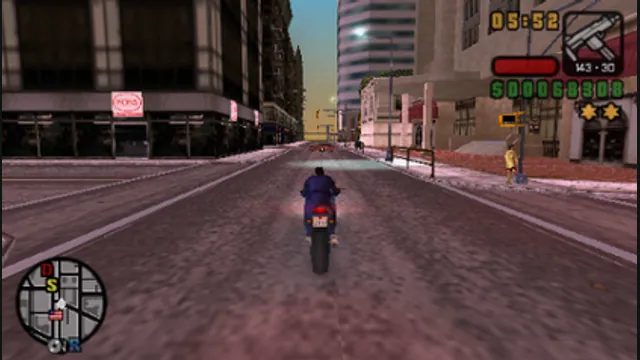
Grand Theft Auto: Liberty City Stories original-game screenshot reference; not a capture of the linked project.
Image credits ↗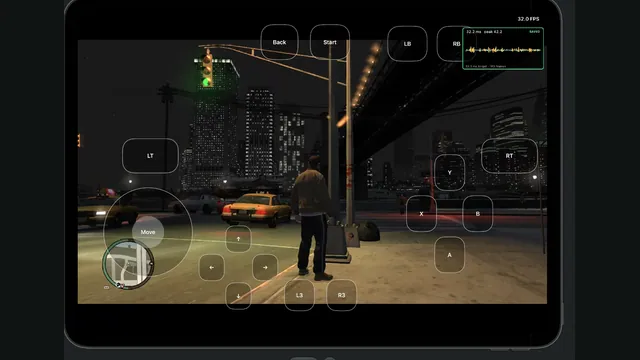
Mario platformer projects: choose SM64 co-op, Wonder Recomp or GalaxyPad
Start with the Mario game you want, then its project. SM64 co-op has native releases; Wonder and GalaxyPad ask you to build. Mario crossover mods still need their host game.
Read guide : Choose a Mario platformerReference image · credits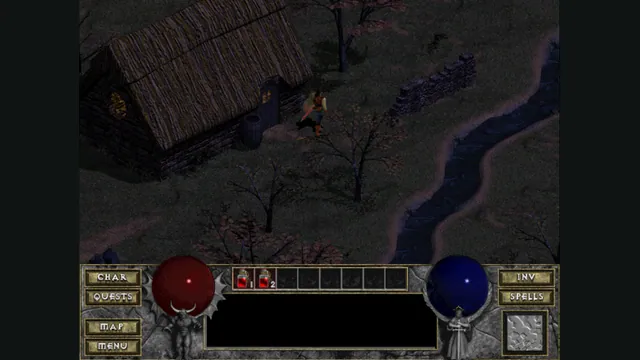
Back up browser game saves and check the restored game
Save inside the game, export a separate backup, then import and load it before removing the original. Confirm the restored character, map or level inside the game.
Read guide : Back up your browser savesProject image · credits
Port, recompilation, decompilation or emulator: what can you actually play?
The project label explains how a game was adapted. The Play, Download or Build route tells you what you can do with it today. Check both before choosing a version.
Read guide : Understand the project labelsProject image · credits