Diablo browser versions: choose a demo, retail game or Hellfire
Try the original Diablo with a hosted demo, use your own MPQ for the retail game, or choose native DevilutionX for Hellfire and a controller-focused setup.
By Playable · Written · Revised
Compare the projects
For a first desktop session, choose JohnImril’s Diablo Web: its start screen separates the free demo, your own MPQ and save management. Choose d07RiV’s DiabloWeb if you want the earlier browser client or already keep a character there. Choose DevilutionX for native installation, Hellfire or its documented controller scheme.
Both web clients run the original Diablo through related WebAssembly work. JohnImril’s modernization changes the browser interface and storage management; it is not a remaster or an expansion. The choice of game data determines demo versus retail content, while the choice of client determines how you import and maintain it.
Swipe or scroll to compare all columns →
| Project | Without retail files | With your own files |
|---|---|---|
| d07RiV’s DiabloWeb | Hosted shareware, using spawn.mpq | Import DIABDAT.MPQ for the retail game |
| JohnImril’s Diablo Web | Choose Play Free Demo | Choose Load Your MPQ, or drop your archive on the start screen |
| DevilutionX Separate native download | Can use shareware data | Supports Diablo and optional Hellfire data |
The easiest way to sample Diablo is either hosted demo: there is no disc import to prepare. For a long character run, pick the client whose save workflow you intend to keep using before committing progress. JohnImril’s online multiplayer remains experimental, so it is a single-player starting recommendation.
Demo vs. retail files
spawn.mpq is the shareware archive supplied by the demo route. In d07RiV’s DiabloWeb, it lets you play the Warrior through the first two dungeon floors. The project’s shareware engine blocks entry below floor two and reserves Rogue and Sorcerer for retail play. This is a small opening dungeon run, not the complete adventure.
DIABDAT.MPQ is the original Diablo retail archive. It adds the Rogue and Sorcerer choices and the rest of the base game’s dungeon beyond the demo boundary. Use the copy from your own Diablo installation or disc; it is not a Diablo II or Diablo II: Resurrected file. Both browser projects require you to supply it for retail play. d07RiV’s file guidance ↗
- Try the shareware route to check whether the controls suit you.
- For retail play, locate your owned
DIABDAT.MPQbefore opening the import picker. Select the archive itself, not an installer or a folder. - Keep your original archive. Importing it into one browser client does not prepare another client or device.
Mouse, phone or controller
Use a mouse and keyboard for JohnImril’s browser client; the creator explicitly recommends them. Touch input exists, but is still being improved. Landscape gives the interface more room without changing that limitation. d07RiV advertises mobile use, so its shareware route is another way to try the older touch interface before importing retail data.
If direct stick movement is your priority, consider native DevilutionX. Its controller scheme uses the left stick to move and face buttons for actions; the right stick can act as a mouse for inventory work. That is a different input approach from adapting clicks to a phone screen. Use the DevilutionX controller reference for your pad’s labels.
For Android, DevilutionX’s platform instructions provide an app installation and game-data location. iPhone/iPad setup instead involves a sideloaded IPA and copying the MPQs through the documented file-transfer route. If you only want a quick browser trial, those native steps are unnecessary; if touch controls are the obstacle, they are a concrete alternative. Native platform installation ↗
Keep your saves
JohnImril’s client stores saves in the current browser profile, without cloud sync. Use Manage Saves to export them before clearing data or changing devices. It also accepts .sv imports. Keep a downloaded backup even if you normally return to the same browser.
For a first import, Manage Saves may not yet be visible. Drop your .sv file onto the start screen with Play Free Demo and Load Your MPQ; after the import, Manage Saves appears. Use its upload control for further saves. Keep the original export while you check that the intended character loads.
If it says Game already open, finish saving in the other tab or installed app, close that window, then choose Try Again. Clearing browser data is not the fix. These instructions belong to JohnImril’s client; do not assume another Diablo host shares its storage or recovery controls. Save and recovery instructions ↗
A copy of DIABDAT.MPQ contains game data, not your character’s progress. Export the save separately before moving to another profile or device. Follow the backup and restore sequence before removing the original installation.
What about Hellfire?
For Hellfire, choose the separate DevilutionX download: its installation guide covers the expansion files. Follow the instructions for your platform.
Its installation guide asks for DIABDAT.MPQ and, for Hellfire, hellfire.mpq, hfmonk.mpq, hfmusic.mpq and hfvoice.mpq. Supply your own expansion data and place it in the location specified for your platform. The engine download does not supply the retail game or expansion. DevilutionX installation guide ↗
Choose this route for the base game plus the expansion’s content, rather than trying to load Hellfire files into either browser client. DevilutionX also offers optional presentation and convenience changes; its widescreen view and extra health/experience bars are not mandatory.
Diablo II: Resurrected Mobile is a separate game and personal-build project. Its Switch-version resources and phone signing workflow cannot replace DIABDAT.MPQ, and an original Diablo character is not a Diablo II character.
Project reading
See the creators’ setup instructions and feature guides.
- d07RiV · DiabloWeb README ↗
- JohnImril · playing and saving ↗
- DevilutionX · installation and Hellfire files ↗
- DiabloWeb engine · two-floor shareware boundary ↗
- DiabloWeb engine · shareware classes ↗
- DevilutionX · controller scheme ↗
- DevilutionX · platform installation ↗
- Diablo II: Resurrected Mobile · separate game requirements ↗
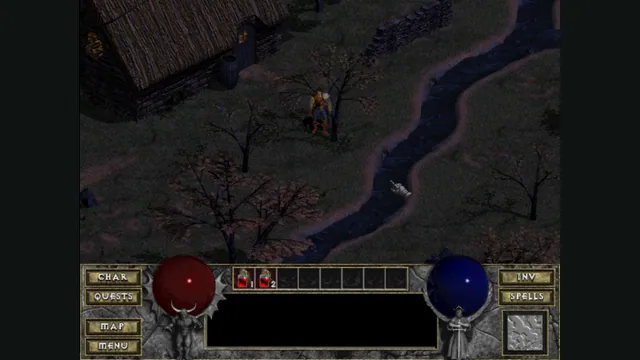
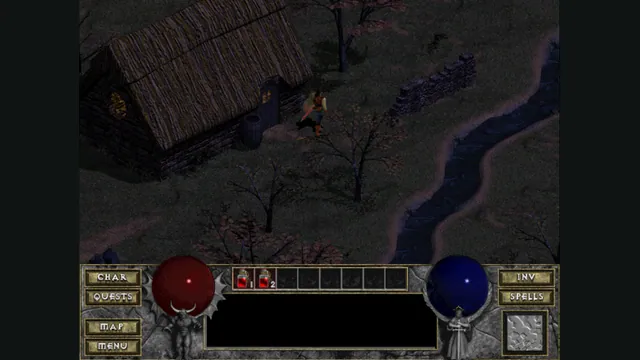
DiabloWeb browser capture in Tristram using the freely supplied shareware demo.
Image credits ↗Diablo Web by JohnImril creator screenshot.
Image credits ↗A modernized client with shareware, MPQ import and save export.
Back up browser game saves and check the restored game
Save inside the game, export a separate backup, then import and load it before removing the original. Confirm the restored character, map or level inside the game.
Read guide : Back up your browser savesProject image · credits
Doom in a browser or native port: WADs, demos and Doom 3
For classic Doom, choose a WAD launcher or a native port. For Doom 3, separate the browser demo from an owned retail installation.
Read guide : Choose a Doom versionProject image · credits