Tyrian
Tyrian on modern desktops, with freeware game data included in the current release packages.
 Setup
SetupCredits
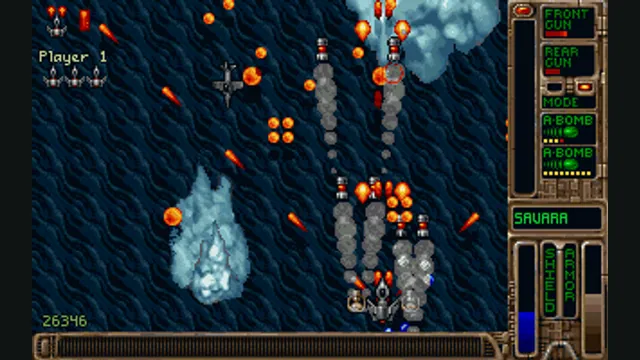
Tyrian original-game reference; not an OpenTyrian capture.
Game imagery remains copyright its respective rights holders. Image published at https://en.wikipedia.org/wiki/File:Savara.gif.
Source & attribution ↗View image ↗About this version
Tyrian on modern desktops, with freeware game data included in the current release packages. The linked creator documentation provides the setup and platform details. Undocumented capabilities remain unknown.
- Project
- OpenTyrian
- Original game
- Tyrian
Vertical shooting with several ways to play
Tyrian is a vertically scrolling arcade shooter starring fighter pilot Trent Hawkins in a distant-future fight against MicroSol. The game offers a story mode as well as one- and two-player arcade modes. That choice lets you approach it as a continuing adventure or a more immediate arcade session.
OpenTyrian carries that game into a native modern application. It is a port of the DOS Tyrian, using the freeware Tyrian 2.1 data, rather than a newly designed sequel or a browser wrapper.
Release packages include the game data
The current release archives for Windows, macOS and Linux include the files needed to run Tyrian 2.1. Choose the package for your platform, extract it and launch the executable or application. This makes the release package simpler than a source build, which still needs the separately supplied data.
For a source-built installation, the engine searches several data locations in order. An explicit data-directory option takes priority, followed by the data folder beside the executable and the configured system location. Lowercase filenames matter for that manual arrangement.
Network play is arranged directly
Two-player network sessions do not use a built-in public lobby. Both players start the documented command-line network mode, providing the other computer’s address and choosing player one or player two. Coordinate those choices before launching so that each person controls the intended ship.
The project uses UDP and includes hole punching, so its documentation says manual port opening is usually unnecessary. A source build needs SDL2_net for network play; that feature is enabled when the library is available during compilation.
Preserve the configuration directory
Saved games and configuration normally live in the OpenTyrian application-data directory on Windows or the opentyrian configuration directory on macOS and Linux. They are separate from the bundled game data. On Windows and Linux, an opentyrian.cfg beside the executable instead selects a local configuration and save location. Remember that difference when moving a portable copy or replacing an old release archive.
Before you play
Do I need the original game files?
Current release builds include the freeware Tyrian 2.1 data. Source builds need those data files separately.
Creator-reported · Project guideHow do I get started?
Download the matching Windows, macOS or Linux release, extract it and run the platform application.
Creator-reported · Project guideWhich devices and browsers work?
Windows, macOS and Linux packages are documented.
Creator-reported · Project guideWhat are the controls?
Joystick/gamepad input is supported alongside the game’s other controls.
Creator-reported · Project guideCan I play multiplayer?
One- and two-player arcade modes and network multiplayer are documented. Network sessions are started manually by both players; there is no arena service.
Creator-reported · Project guideHow do saves work?
Saves and settings use the platform-specific OpenTyrian configuration directory; a local configuration file can enable portable storage on Windows/Linux.
Creator-reported · Project guide
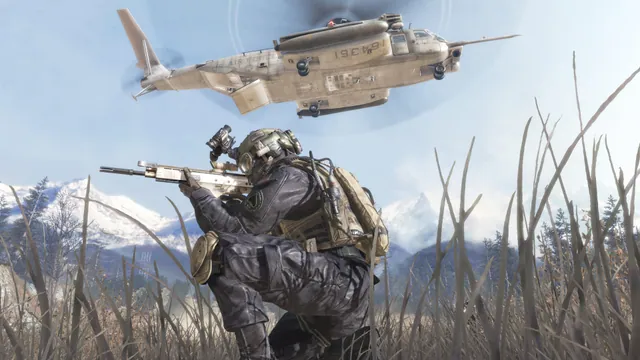
Call of Duty®: Modern Warfare® 2 (2009) gameplay reference; not a capture of the linked project.
Image credits ↗The Xbox 360 game’s executables translated for native PC play.
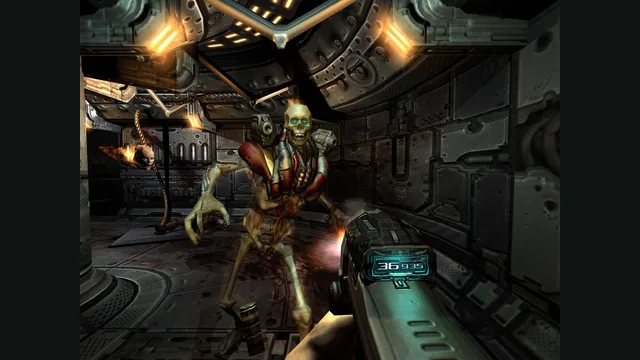

Doom publisher gameplay reference from the current DOOM + DOOM II gallery; not a capture of the linked port.
Image credits ↗Ports designed to preserve the original DOS behavior, including compatibility quirks.