Blood
Blood recreated on EDuke32 technology with a documented original-data setup.
 SetupYour game files required
Credits
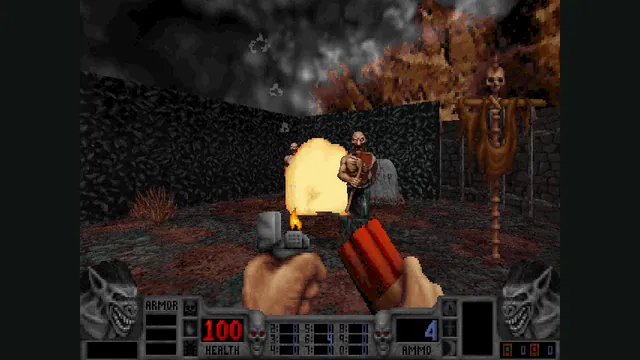
NBlood creator screenshot of Blood combat.
Game imagery remains copyright its respective rights holders. Image published at https://github.com/NBlood/NBlood.
Source & attribution ↗View image ↗About this version
Blood recreated on EDuke32 technology with a documented original-data setup. Older settings.cfg files need renaming to nblood_cvars.cfg to retain settings. Other binaries in the same repository target different Build-engine games.
- Project
- NBlood
- Original game
- Blood
Horror built around an unusual arsenal
Blood pits Caleb against cultists and a collection of supernatural enemies. Its weapons help give it a different personality from a conventional military shooter: the original arsenal ranges from a pitchfork and flare gun to aerosol fire and a voodoo doll. Those tools sit alongside levels built around horror imagery and dark humor.
The original game and Cryptic Passage provide the setting and content described here. Features advertised for the separate Blood: Fresh Supply remaster belong to that release, not automatically to NBlood.
Blood through EDuke32 technology
NBlood is a reverse-engineered Blood port built using EDuke32 technology. The repository also distributes PCExhumed and Rednukem, but those are different programs for different games. Their supported-game lists, configuration notes and limitations should not be read as Blood features.
The NBlood instructions target Blood 1.21 data. Existing digital installations may be detected directly; a manual installation needs the matching resource archives, art tiles, sound and configuration files. The port download supplies the engine rather than a replacement for an owned copy.
Bring the soundtrack and movies with you
Music and cutscenes need a little attention when moving an older installation. CD music can be supplied as numbered FLAC or OGG tracks, then enabled through the Redbook audio option. Without that optional setup, the CD soundtrack is not simply recreated from the game’s MIDI data.
For movies, preserve the movie folder itself when copying it. The README gives a separate route for obtaining that folder from a GOG installation. These details are worthwhile if you want the transitions and soundtrack as well as the playable levels.
Keep expansion and settings files together
Cryptic Passage has additional maps, art and its own INI file. Linux launches select it with the documented CRYPTIC.INI option. Do not assume the expansion is present just because the base game starts.
When upgrading an older NBlood setup, rename settings.cfg to nblood_cvars.cfg to carry those settings forward. That small migration is more useful than rebuilding your preferred setup from scratch.
Before you play
Do I need the original game files?
Blood 1.21 data: BLOOD.INI, BLOOD.RFF, GUI.RFF, SOUNDS.RFF, SURFACE.DAT, TILES000.ART through TILES017.ART and VOXEL.DAT. Cryptic Passage, demos, movies and CD music have additional optional files.
Creator-reported · Project guideHow do I get started?
Extract the NBlood package, use a detected Steam/GOG install or copy the listed data beside the executable, then launch NBlood.
Creator-reported · Project guideWhich devices and browsers work?
The checked release offers 32-bit and 64-bit Windows NBlood packages; the README also describes Linux use.
Creator-reported · Project guideWhat should I know before playing?
Older settings.cfg files need renaming to nblood_cvars.cfg to retain settings. Other binaries in the same repository target different Build-engine games.
Creator-reported · Project guide
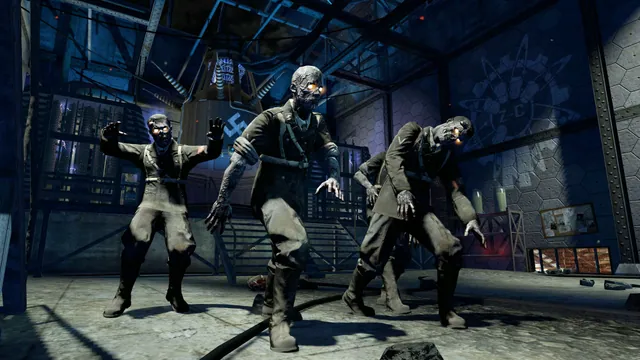
Black Ops Zombies: Rezurrection publisher screenshot. Original-game DLC reference; not the browser project or a promise that this map is playable there.
Image credits ↗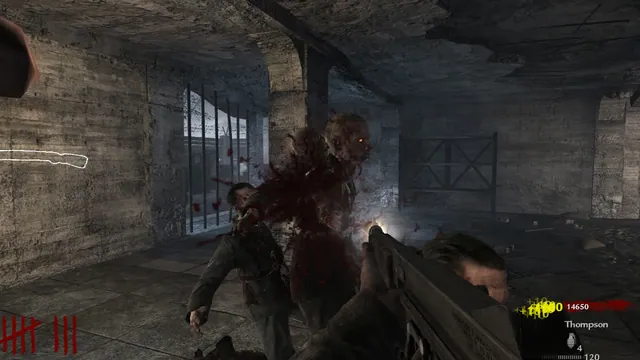
Creator’s gameplay preview still of the Nacht der Untoten browser project.
Image credits ↗Survive Nacht der Untoten solo or with up to three friends in a browser remake.
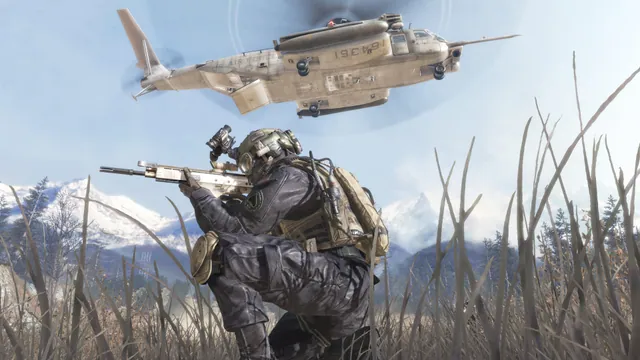
Call of Duty®: Modern Warfare® 2 (2009) gameplay reference; not a capture of the linked project.
Image credits ↗The Xbox 360 game’s executables translated for native PC play.