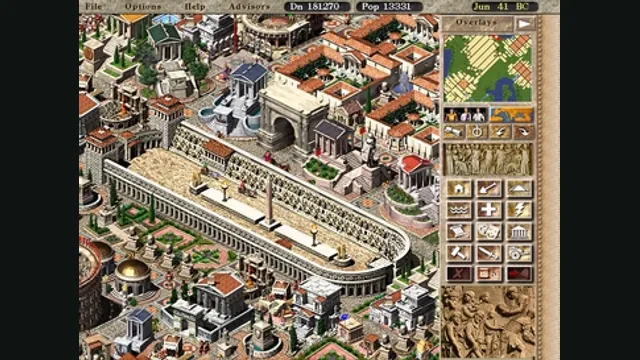
Caesar III with modern compatibility and small usability improvements.
Original files requiredSetup
Heroes II recreated with modern resolutions, interface improvements and revised AI.
 SetupDemo or your game files
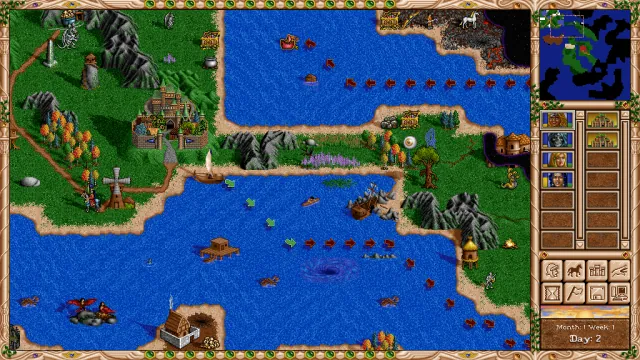
fheroes2 creator screenshot of the Heroes II adventure map.
Game imagery remains copyright its respective rights holders. Image published at https://github.com/ihhub/fheroes2.
Source & attribution ↗View image ↗Heroes II recreated with modern resolutions, interface improvements and revised AI. The linked creator documentation provides the setup and platform details. Undocumented capabilities remain unknown.
fheroes2 recreates Heroes of Might and Magic II while revising its interface, AI and display support. Its improvements concentrate on the decisions you make while moving heroes, arranging armies and fighting turn-based battles. Creature abilities, spell duration and damage information become easier to inspect, helping explain a tactical choice before committing to it.
Adventure-map improvements include visited-object information and clearer travel-day indicators. In towns, income information and recruitment tools reduce unnecessary navigation. The result is a version aimed at making the existing strategy easier to read, rather than supplying a different Heroes campaign under the same name.
fheroes2 · engine overviewfheroes2 · gameplay and interface improvements
The engine offers instant battles, a route to restart them manually, and an option to finish a manual battle automatically. Army-splitting shortcuts and movement-area highlights make it easier to organize stacks and judge positions. These conveniences are useful when a routine encounter does not need the same attention as a close fight.
Hotkeys can be reassigned, and the project includes interface scaling and translation improvements. Language selection does not replace text baked into original assets or recorded voices, so the imported edition still affects parts of the presentation.
The installation guide supports your own Heroes II resources or the free English demo through the provided download script. The Windows installer can perform the resource step, and a ZIP installation supplies separate extraction and demo scripts. Manually imported editions use ANIM, DATA, MAPS and MUSIC where those directories exist.
Choose a package for the actual platform: Windows, macOS, Linux and Android have documented routes, while console ports have separate requirements. The engine download alone does not contain the original game resources. A demo is a way to try the supported demo content; it does not unlock the full game’s maps or campaign assets.
Use your own Heroes II data, or the free English demo described in the installation guide. Manual imports use ANIM, DATA, MAPS and MUSIC directories where supplied by that edition.
Creator-reported · Project guideChoose the package for your platform, install it, and import the original resources or use the documented demo-data option.
Creator-reported · Project guideWindows, macOS, Linux and Android packages are documented; console packages have separate setup requirements.
Creator-reported · Project guideCaesar III with modern compatibility and small usability improvements.
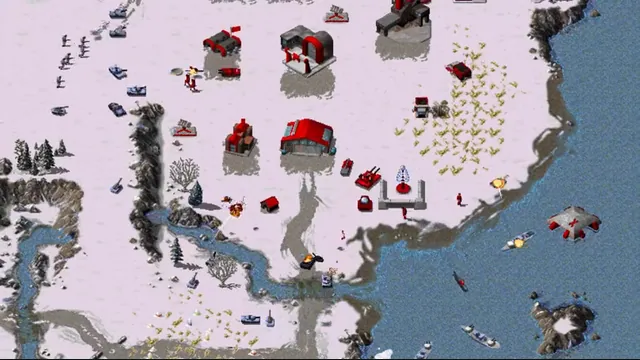
OpenRA creator footage still showing its Red Alert ruleset. Other included rulesets have different units and settings.
Image credits ↗Classic Westwood real-time strategy games reimagined in a modern native engine.
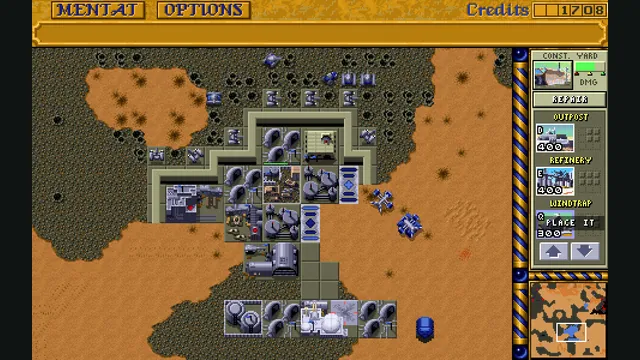
Dune Dynasty creator screenshot; the gameplay panel is cropped from the project’s four-panel showcase.
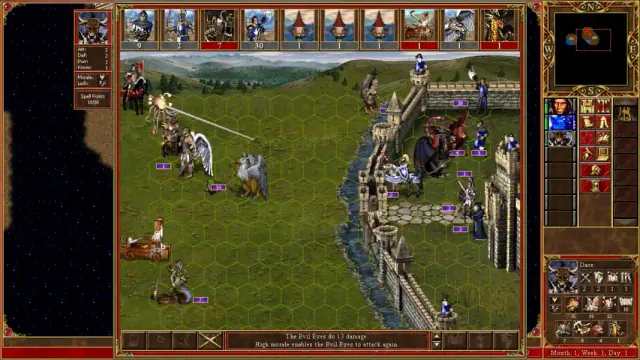
Image credits ↗A native Heroes III engine recreation with a launcher, map editor and mod support.