A Windows port with a first-run disc-image installer.
Original files requiredSetup
A Windows port of the original PlayStation survival-horror game.
 SetupYour game files required
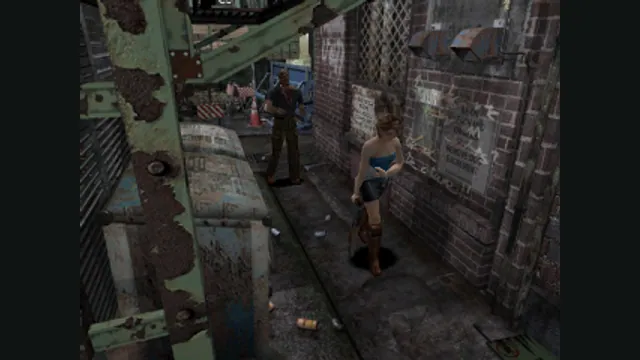
Resident Evil 3: Nemesis original-game screenshot reference; not a capture of the linked project.
Resident Evil 3: Nemesis game imagery remains copyright its respective rights holders. Image credit and provenance: linked source page. No transferable license is inferred.
Source & attribution ↗View image ↗The project documents local extraction of the supported executable through its setup wizard. Resident Evil 1 and 2 are planned projects, not additional supported games in this entry.
Resident Evil 3: Nemesis uses fixed viewpoints and pre-rendered backgrounds, an important part of its original survival-horror presentation. Project RE: Visited keeps those backgrounds rather than attempting to turn them into a free-camera world. The original artwork still determines what a room looks like, even when character geometry is rendered more cleanly.
This is the PlayStation-era Nemesis, not the later Resident Evil 3 remake. The wider RE: Visited initiative lists Resident Evil and Resident Evil 2 as future projects; they are not extra games included with this release.
The project’s most meaningful control choice is between analog movement and the classic directional-pad tank controls. The analog stick offers camera-relative movement with automatic running at large deflections, while the D-pad retains turning and forward/backward movement. The creator specifically describes continuity across fixed-camera cuts, a detail worth testing early if you know the original controls well.
Other options change the pace or appearance: faster door transitions, skippable cinematics, interpolation for high-refresh displays and geometry correction. The 16:9 option is described as stretched, whereas 4:3 preserves the original proportions with pillarboxing. A higher internal resolution does not replace the original background artwork with newly drawn scenes.
Open the Windows launcher’s Setup Files wizard and supply your own disc image containing the supported SLUS_009.23 executable. The package uses OpenBIOS, so its documented route does not require a separate proprietary BIOS dump. Configure resolution, timing and controls before starting the game.
The project stores standard PS1 memory-card files under saves/card1.mcd and saves/card2.mcd. Keep copies of those files when changing installations. The launcher’s optional modifiers can unlock content or alter health and ammunition; leave them disabled if you want the original progression and resource constraints.
Your own supported Resident Evil 3 disc image; consult the SLUS_009.23 setup notes.
Creator-reported · Project guideFollow the current original-project release and setup guide; supply the supported game files when requested.
Creator-reported · Project guideA Windows port with a first-run disc-image installer.
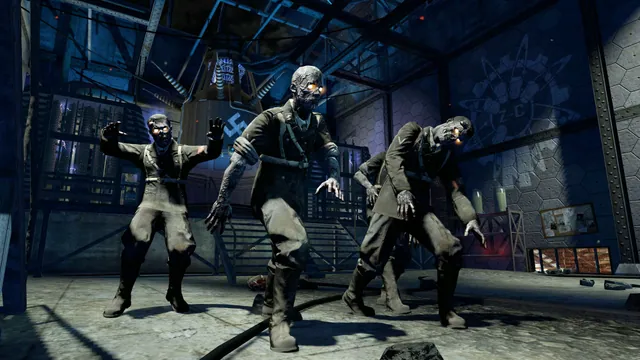
Black Ops Zombies: Rezurrection publisher screenshot. Original-game DLC reference; not the browser project or a promise that this map is playable there.
Image credits ↗