Mush8 brings Mario Kart 8 Deluxe to Apple devices: what setup involves
Mush8 is C22’s native Apple project for Mario Kart 8 Deluxe. It requires building with your own game dump and keys; it is not a browser game or a Mario Party port.
By Playable · Written
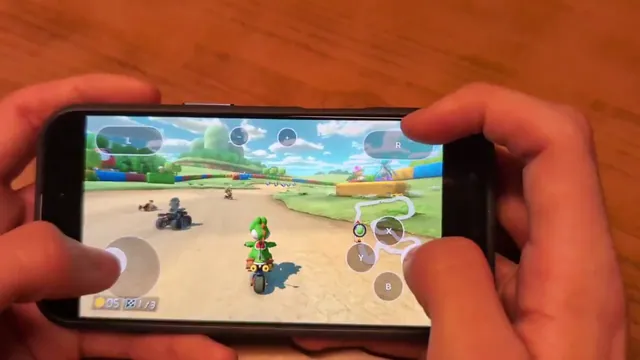
What the project changes
Mush8 adapts Mario Kart 8 Deluxe for Apple hardware. Its approach patches the game’s ARM64 code and supplies replacements for Switch system services, with graphics translated to Metal. On iOS, the game code becomes part of the app during the build.
That makes preparation central to the experience: a project repository is the starting point, not an instantly playable web page. Super Mario Bros. Wonder Recomp is a separate project for a different game, with its own platform work and requirements.
Prepare the matching data
The README asks for your own prod.keys, base-game .nsp and the 4.0.1 update .nsp. Booster Course Pass data and firmware are optional additions. Use only files you are authorized to obtain and use.
Keep the base game and update together as a matched set. An archive from Mario Party, the original Wii U Mario Kart 8 or another title cannot substitute for Mario Kart 8 Deluxe. Renaming an archive does not change its contents.
Choose Mac or iOS before building
The creator documents an Apple Silicon Mac, macOS 14 or later and Xcode 26 or later for preparation. The iOS route adds signing or IPA installation and device-memory requirements; check the current README before committing to a build.
The project’s build.sh asks which platform to prepare and can install missing development tools. Read its steps before running it. This is a local software build, not a normal browser launch.
Its diagnostics distinguish missing keys or the wrong update from Xcode signing errors, a locked device and insufficient disk space. Follow the message for the failing step. Repeating game extraction will not fix a signing identity problem, and changing a signing setting will not supply missing game data.
Controls and multiplayer boundaries
Mush8 documents controllers and iOS touch input. Multiplayer choices include local LAN, nearby wireless play and internet LAN-play servers. Nintendo’s online service is unavailable; the launcher’s Online choice refers to LAN-play.
Agree on the intended mode before inviting friends. Someone expecting Nintendo matchmaking is expecting a different service. Check the current project limitations before planning a group session, especially when mixing devices or installation methods.
For broader context, the project-label guide explains why native execution, system-service replacement and game-data requirements can coexist.
Project reading
See the creators’ setup instructions and feature guides.
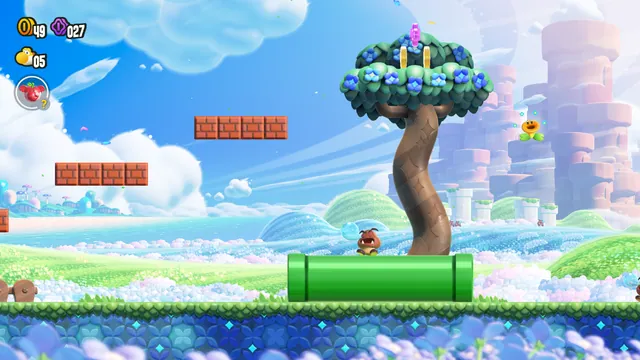
Build an experimental native Wonder port from your own Switch 1.0.0 copy.
Port, recompilation, decompilation or emulator: what can you actually play?
The project label explains how a game was adapted. The Play, Download or Build route tells you what you can do with it today. Check both before choosing a version.
Read guide : Understand the project labelsProject image · credits
Skate 3 versions: browser fan game, native ports or Rust rewrite?
For an owned Xbox 360 disc image, Skate3Recomp offers the clearest desktop installer. The browser fan game needs already converted data; phone ports and the Rust rewrite have their own setup.
Read guide : Pick your Skate setupProject image · credits