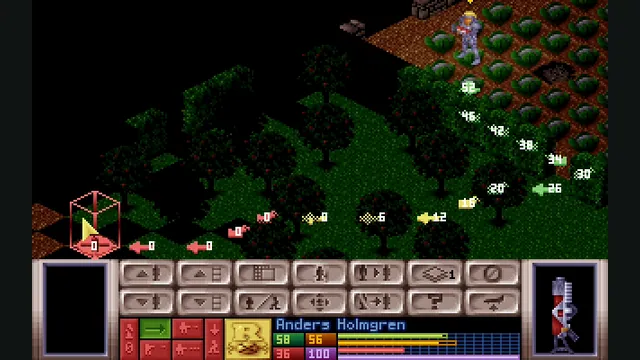
OpenXcom engine screenshot reference showing tactical movement preview; not a capture of the WebAssembly build.
Image credits ↗OpenXcom’s alien-defense campaign with local game files, persistent saves and offline caching.
JA2 Gold’s tactical campaign through Stracciatella, using your own Data folder.
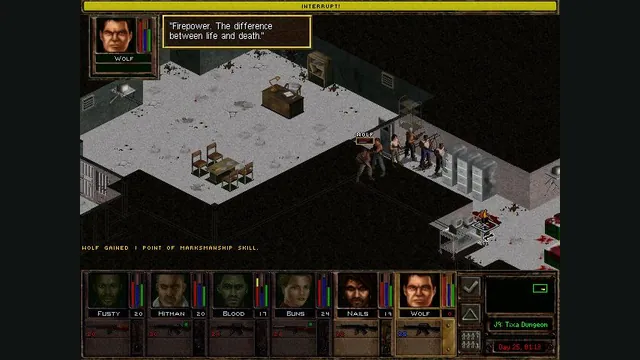
PlayYour game files requiredJagged Alliance 2 Gold publisher screenshot reference; not a capture of the browser port.
Game imagery remains copyright its respective rights holders. Image published by the linked source for Jagged Alliance 2 Gold; no transferable license is inferred.
Source & attribution ↗View image ↗Virtastic’s WebAssembly build is based on JA2 Stracciatella 0.22.1. Tactical combat uses the browser resolution while the laptop and other fixed-art screens retain the original layout.
Jagged Alliance 2 combines squad tactics with the management of a mercenary campaign. You recruit characters to help liberate Arulco, then take those choices into tactical encounters. The strategic layer makes a battle part of a longer operation: who you hire and how you use the team matter beyond a single exchange of fire.
The Gold product includes additional material, but an engine accepting files from that installation does not automatically support every included expansion. The browser build defines its scope separately.
Jagged Alliance 2 Gold · publisher descriptionja2-web · player setup and browser scope
ja2-web uses JA2 Stracciatella 0.22.1, including tactical combat, the strategic map, laptop and sound. The engine runs in the browser on your own machine. Its tactical view can show more of a sector at the browser's resolution, while fixed-art screens retain their original presentation. Adding ?res=classic to the launch address forces the classic 640×480 view throughout.
Open it in desktop Chrome, Chromium, Edge or Brave and select your own Gold installation's Data folder. On Windows, copy that folder out of Program Files to Documents or Desktop if the browser refuses access. The folder is read locally rather than uploaded.
The supported game is vanilla JA2. Wildfire data may be detected, but the documentation says it still loads as vanilla; expansion support should not be inferred from detection alone. Firefox, Safari and mobile are outside this build's supported browser route.
The build writes saves into a ja2-web-saves folder inside the directory you selected. These are real files you can back up, and they survive clearing browser data. Configuration and logs use browser storage instead. When moving machines, retain the saves folder as well as the game assets; copying only browser settings would miss the campaign.
Choose the Data folder from your own Jagged Alliance 2 Gold installation. Wildfire and other expansions are not supported as expansions.
Creator-reported · Project guideChoose Bring your own JA2 and select its Data folder. The local route reads files from disk. Cloud Locker is a separate optional sign-in and upload route.
Creator-reported · Project guideUse desktop Chrome, Chromium, Edge or Brave. Firefox, Safari, mobile and touch are outside the supported browser path.
Creator-reported · Project guideVanilla JA2 Gold through the Stracciatella engine: tactical combat, strategic map, laptop and sound. Wildfire data does not turn this into Wildfire support.
Creator-reported · Project guideThe local-folder route writes real saves in ja2-web-saves inside your selected folder. Configuration and logs use browser IndexedDB.
Creator-reported · Project guideOn Windows, copy Data outside Program Files before using the folder picker. Use ?res=classic if you want 640×480 on every screen.
Creator-reported · Project guideMade possible by Virtastic.