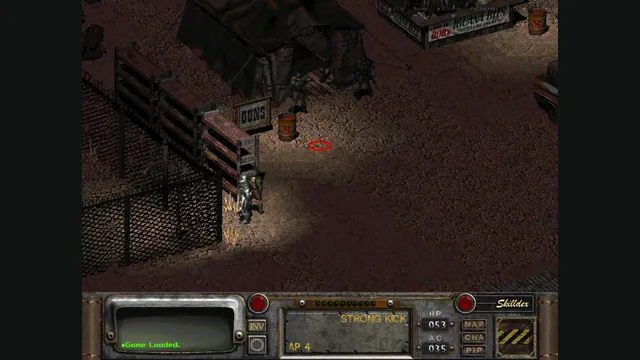
Rerun Reactor creator screenshot showing Fallout 2; the project also supports a separate Fallout installation.
Image credits ↗Both classic Fallouts in one local-file browser launcher, with save backups and touch controls.
A native reimplementation of Fallout 2 with desktop and mobile packages.
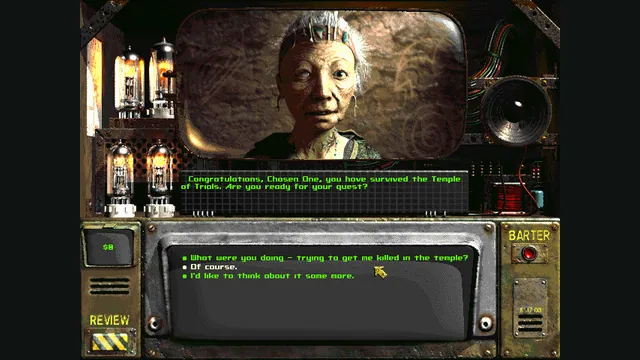
SetupYour game files requiredFallout 2 original-game conversation reference from Steam; not a Community Edition capture.
Game imagery remains copyright its respective rights holders. Image published at https://store.steampowered.com/app/38410/.
Source & attribution ↗View image ↗A native reimplementation of Fallout 2 with desktop and mobile packages. Restoration Project, Fallout Et Tu and Olympus 2207 are not supported; other total conversions have incomplete or untested compatibility.
Fallout 2 sends a new protagonist out to find a Garden of Eden Creation Kit and save their village. Its setting is a later chapter of the same post-nuclear world, where survival depends on a character’s skills and traits as well as the people they encounter. The attraction is shaping that character through a long role-playing journey rather than following a fixed action hero.
Fallout 2 Community Edition · original game publisher description
Community Edition recreates Fallout 2 for modern systems while retaining its original gameplay and adding engine fixes and selected conveniences. It can replace the Windows executable in an owned installation, or use those assets on Linux, macOS, Android and iOS. This is the Fallout 2 engine: the separate first-game Community Edition has its own installation.
The distinction matters most for mods. Restoration Project, Fallout Et Tu and Olympus 2207 are not supported. The developer describes original Nevada and Sonora versions as likely to work when they avoid extended Sfall features, without confirming a complete playthrough. A mod working with the old Windows executable does not automatically make it compatible here.
The phone and tablet controls work like a trackpad: moving a finger moves the pointer, a one-finger tap clicks, and two-finger gestures change cursor mode or scroll. This preserves the interface’s many precise interactions but rewards a readable screen size. Adjust f2_res.ini for window dimensions and fullscreen mode; the project recommends logical tablet resolution rather than raw display pixels.
Android’s first import can take much longer for a localized installation or a mod containing many loose files. Release and debug apps also keep separate saves and assets, so changing app type is not a seamless campaign transfer.
fallout2.cfg controls the original asset and music paths, including their filename case. ddraw.ini exposes Sfall-style options, but only a subset is implemented in Community Edition. Start with the standard game and its documented configuration before expecting an advanced override or total conversion to behave as it does in another engine.
An owned installation supplies master.dat, critter.dat, patch000.dat, and the data directory. Keep filenames lowercase for the documented mobile setup.
Creator-reported · Project guideDownload the platform package and place the replacement executable in your Fallout 2 installation. Mobile builds import the game-data folder through the documented platform workflow.
Creator-reported · Project guideWindows, Linux, macOS, Android and iOS are documented. macOS requires 10.11 or later.
Creator-reported · Project guideDesktop play retains mouse-oriented input. Mobile controls use a virtual trackpad: one finger moves the pointer, one-finger tap clicks, and two-finger tap changes cursor mode.
Creator-reported · Project guideRestoration Project, Fallout Et Tu and Olympus 2207 are not supported; other total conversions have incomplete or untested compatibility.
Creator-reported · Project guide