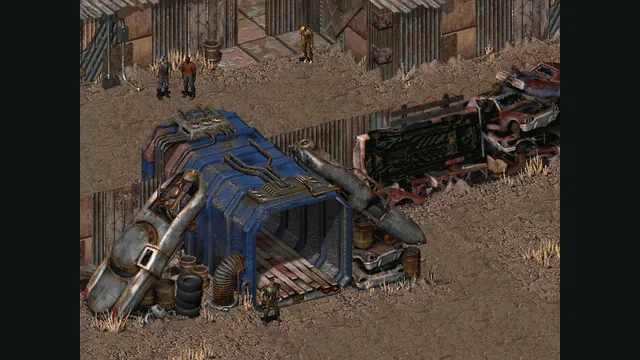
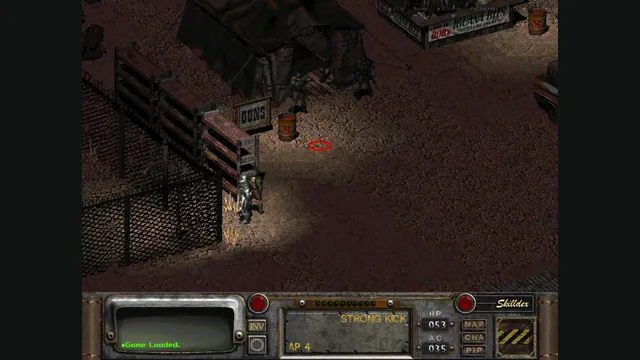
Rerun Reactor creator screenshot showing Fallout 2; the project also supports a separate Fallout installation.
Image credits ↗Both classic Fallouts in one local-file browser launcher, with save backups and touch controls.
A native reimplementation of Fallout with desktop and mobile packages.
SetupYour game files requiredFallout original-game reference from its Steam store; not a Community Edition capture.
Game imagery remains copyright its respective rights holders. Image published at https://store.steampowered.com/app/38400/.
Source & attribution ↗View image ↗A native reimplementation of Fallout with desktop and mobile packages. Precise mouse-oriented actions can be awkward on touchscreens. Release and debug Android apps keep separate data and saves.
The original Fallout begins with a practical emergency: your underground community needs a replacement water-purification chip. Leaving the Vault introduces a wasteland of radiation, mutants and competing groups, with your character’s skills shaping how you handle encounters. Combat is turn-based, giving you time to choose attacks rather than asking for fast aiming.
The appeal is building a character whose strengths affect both conflict and non-combat problems. Experience comes from more than fighting, so exploration and solving situations are part of progression. Community Edition retains that original gameplay rather than converting Fallout into a different style of action game.
Fallout · original game descriptionFallout Community Edition · setup and configuration
Fallout Community Edition supplies a native replacement executable with bug fixes and selected quality-of-life changes. On Windows it sits in the existing Fallout folder in place of the original program; Linux and macOS builds also use original game data. It is separate from Fallout 2 Community Edition and does not make the two games interchangeable.
Window size and fullscreen behavior are configured in f1_res.ini. On tablets the project recommends using the logical display size rather than the screen’s raw pixel count; on phones it suggests starting from a 480-pixel height and matching the aspect ratio. This helps avoid shrinking the already detailed interface unnecessarily.
If music is missing, check music_path1 in fallout.cfg against the actual sound/music folder. The README calls out filename case as significant: asset paths must match, and the ACM music filenames use uppercase. A correctly copied game can still need those path adjustments.
Mobile input moves a cursor rather than replacing every action with a large touch button. One finger moves and clicks; two fingers change cursor mode or scroll. That makes precise inventory and world interactions different from tapping directly on an object.
Android release and debug packages have separate assets and saves. Stick to the release app for a continuing campaign unless you deliberately want a separate testing installation. On iOS, the initial missing-data message is part of the documented file-sharing setup; copy the owned assets before expecting the game to start.
An owned installation supplies master.dat, critter.dat, and the data directory. Keep filenames lowercase for the documented mobile setup.
Creator-reported · Project guideDownload the platform package and place the replacement executable in your Fallout installation. Mobile builds import the game-data folder through the documented platform workflow.
Creator-reported · Project guideWindows, Linux, macOS, Android and iOS are documented. macOS requires 10.11 or later.
Creator-reported · Project guideDesktop play retains mouse-oriented input. Mobile controls use a virtual trackpad: one finger moves the pointer, one-finger tap clicks, and two-finger tap changes cursor mode.
Creator-reported · Project guidePrecise mouse-oriented actions can be awkward on touchscreens. Release and debug Android apps keep separate data and saves.
Creator-reported · Project guide