TIE Fighter’s classic editions on a new cross-platform engine.
Original files requiredSetup
The 1999 space simulator adapted to current desktop systems.
 SetupYour game files required
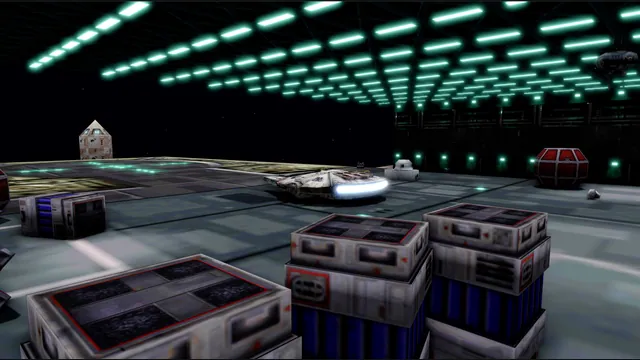
OpenXWA creator screenshot of the hangar with its development overlay.
Star Wars: X-Wing Alliance game imagery remains copyright its respective rights holders. Screenshot published by elyosh / OpenXWA.
Source & attribution ↗View image ↗OpenXWA reimplements the original game for Windows, macOS and Linux. It documents optional mouse/keyboard flight controls alongside gamepads.
X-Wing Alliance begins with a family trading business caught between commercial rivals and the Empire. The original campaign moves from those personal stakes into Rebel assignments and eventually the Battle of Endor. Its appeal is not only piloting famous fighters: Corellian transports and the Millennium Falcon also make the cockpit feel part of a larger working galaxy.
The publisher describes fifty story-driven missions and a configurable skirmish mode in the original game. OpenXWA’s present scope is the single-player recreation; original multiplayer features do not carry over automatically.
OpenXWA recreates X-Wing Alliance using the original game data on Windows, macOS and Linux. Its stated scope includes the original functions outside multiplayer and the digital iMUSE audio system. Multiplayer is not implemented, so choose it for the single-player game rather than assuming that X-Wing vs. TIE Fighter’s group-play options carry over.
The project offers a higher single-player simulation rate for smoother flight and more responsive input. A classic timing mode remains available, giving returning players a choice between the older rhythm and the newer presentation. This is a change to how the game runs, not a claim that all differences from the original have disappeared.
Classic and modern graphics modes can be compared with F5, while F2 toggles a split comparison view. The modern renderer adds widescreen output, lighting, anti-aliasing and upscaling. Original OPT models work in both modes; optional replacement models, textures, interface art and videos can be loaded without modifying the original data.
Mouse flight has Virtual Stick and Direct modes, with sensitivity and inversion settings. Gamepads and joysticks are also supported, including translation of force-feedback effects into gamepad rumble. Those choices make the control setup part of preparing a comfortable first flight.
Select a complete X-Wing Alliance installation when the application asks for data. GOG and Steam installations already use the expected layout; the README gives a separate instruction to merge a raw CD’s ALLIANCE directory into the root. OpenXWA validates and remembers that selection.
Enable Mouse Flight Control in Game Controller Options, and adjust the renderer under Video Options followed by OpenXWA Video Options. Ctrl+Alt+M releases the pointer. Keep the packaged runtime files together and use the appropriate desktop build; the supported graphics backends are Direct3D 12 or Vulkan on Windows, Metal on macOS and Vulkan on Linux.
A complete installation of X-Wing Alliance.
Creator-reported · Project guideFollow the current original-project release and setup guide; supply the supported game files when requested.
Creator-reported · Project guideTIE Fighter’s classic editions on a new cross-platform engine.
X-Wing vs. TIE Fighter and Balance of Power on a replacement engine.
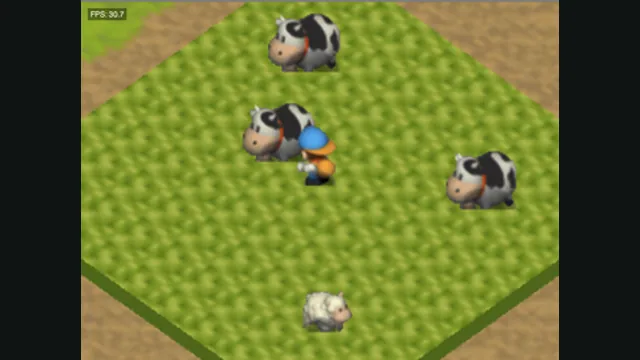
Harvest Moon 64 original-game screenshot reference; not a capture of the linked project.
Image credits ↗
RollerCoaster Tycoon® 2: Triple Thrill Pack gameplay reference; not a capture of the linked project.
Image credits ↗